Never a lost card again
The stamp card sits safely in Wallet and updates live on every visit — nothing to lose in a wallet.
No more paper punch cards that get lost. With Loylo, customers collect stamps in Apple Wallet and Google Wallet — and you see who comes back.
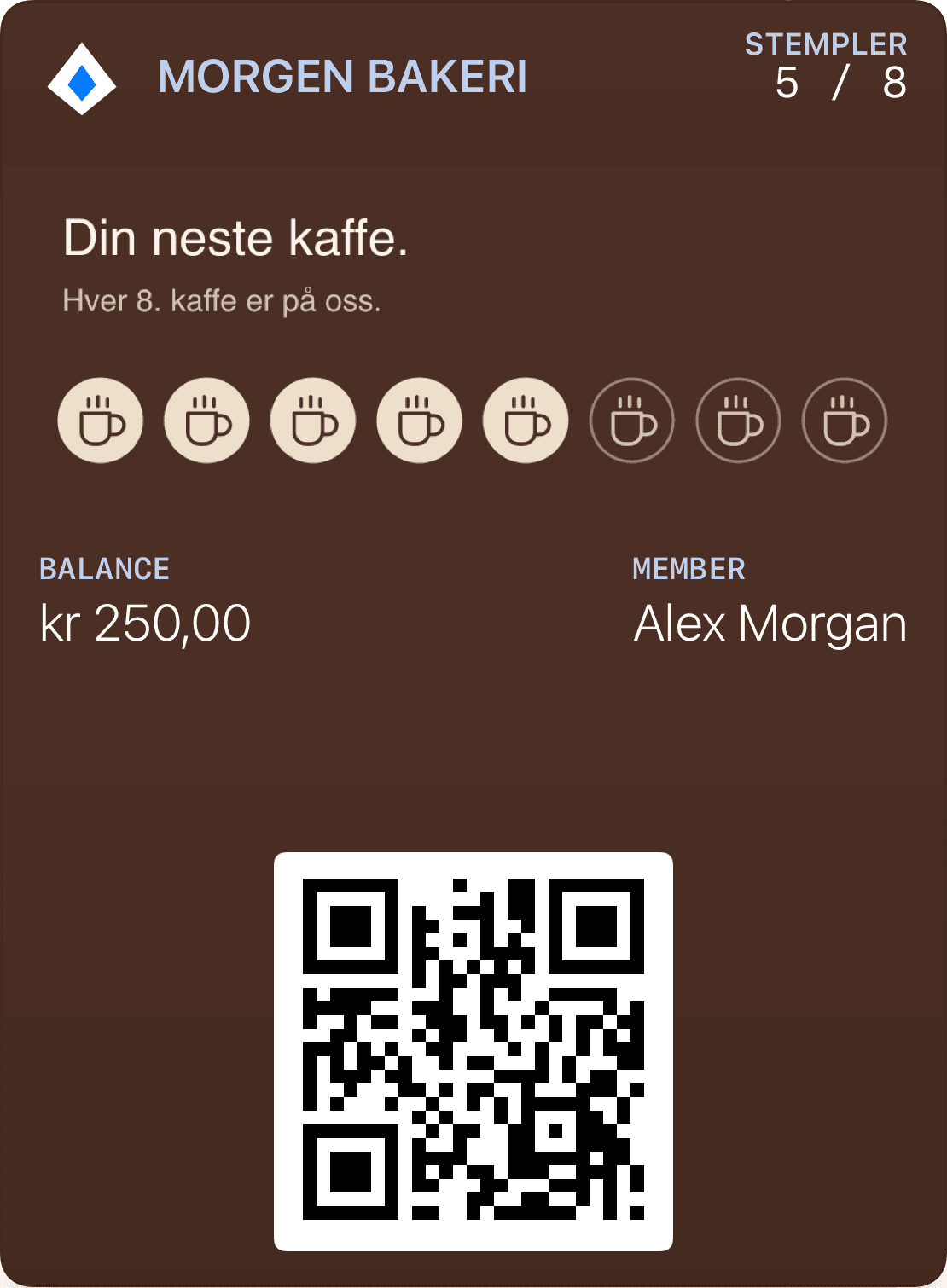
The stamp card sits safely in Wallet and updates live on every visit — nothing to lose in a wallet.
Pick stamps or points, design the card in your brand colours, and share the QR code. No developer needed.
Every stamp is a reason to come back — and a push when the reward gets close.
Café, bakery, salon, restaurant or shop — the same digital stamp card, tailored to you.
A digital stamp card should be as understandable as its paper equivalent. State which purchase or action qualifies, how many stamps are needed and what the customer receives when the card is complete.
Think through multiple purchases and returns before launch. Two coffees may earn two stamps, while one transaction may count as one visit. Both are workable rules, but they reward different behaviours.
A complete card means a reward is available, not necessarily redeemed. Staff need a clear redemption action so that updating the card does not accidentally record the reward as used.
Decide whether extra stamps carry forward and what happens after redemption. Customers should understand their new progress without wondering whether earlier stamps or an unused reward have disappeared.
If customers already hold paper cards, agree a transition period for transferring visible progress. Document what staff should check and how to avoid recording the same paper stamps more than once.
Test the card after joining and after an update. Its design must make sense with zero stamps, almost complete progress and a ready reward, checking Apple Wallet and Google Wallet separately.
Choose the details you need. The customer registers and receives their membership pass.
Show earned stamps and the next reward: free coffee.
Choose recipients and send a relevant message now, or schedule it for later.
Let customers join on their phones, keep the pass in Wallet and find their benefits on the next visit. Follow up with something relevant to your business.
Choose the details you need. The customer registers and receives their membership pass.
Show earned stamps and the next reward: free coffee.
Choose recipients and send a relevant message now, or schedule it for later.
It’s the stamp card you know — “buy 9, get 1 free” — but in Apple Wallet and Google Wallet instead of paper. The customer needs no app.
They scan a QR code on the counter or poster, and the card adds itself straight to Wallet.
Contact us with your desired setup. We help you choose the design, features and integrations.
Explore Apple Wallet and Google Wallet for loyalty cards, gift cards and tickets. Learn about pass types, QR, updates and integrations with Loylo.
Gift card software for digital gift cards, gift cards for small business and Apple Wallet gift cards with QR codes, balance and live updates.
Bring customers back with Wallet loyalty cards, push notifications, email, geofence marketing, winback campaigns and segments.
Customer loyalty software for businesses that want loyalty cards, stamps, points, push, email and insights without a customer app.
We help you set up a stamp card your customers can use in Wallet.