A pass on their phone
Customers keep their balance and checkout QR code in Wallet without holding on to a paper slip.
Let customers scan a QR code and add their store credit to Apple Wallet or Google Wallet. The balance, validity and checkout code stay on their phone, ready for the next visit.
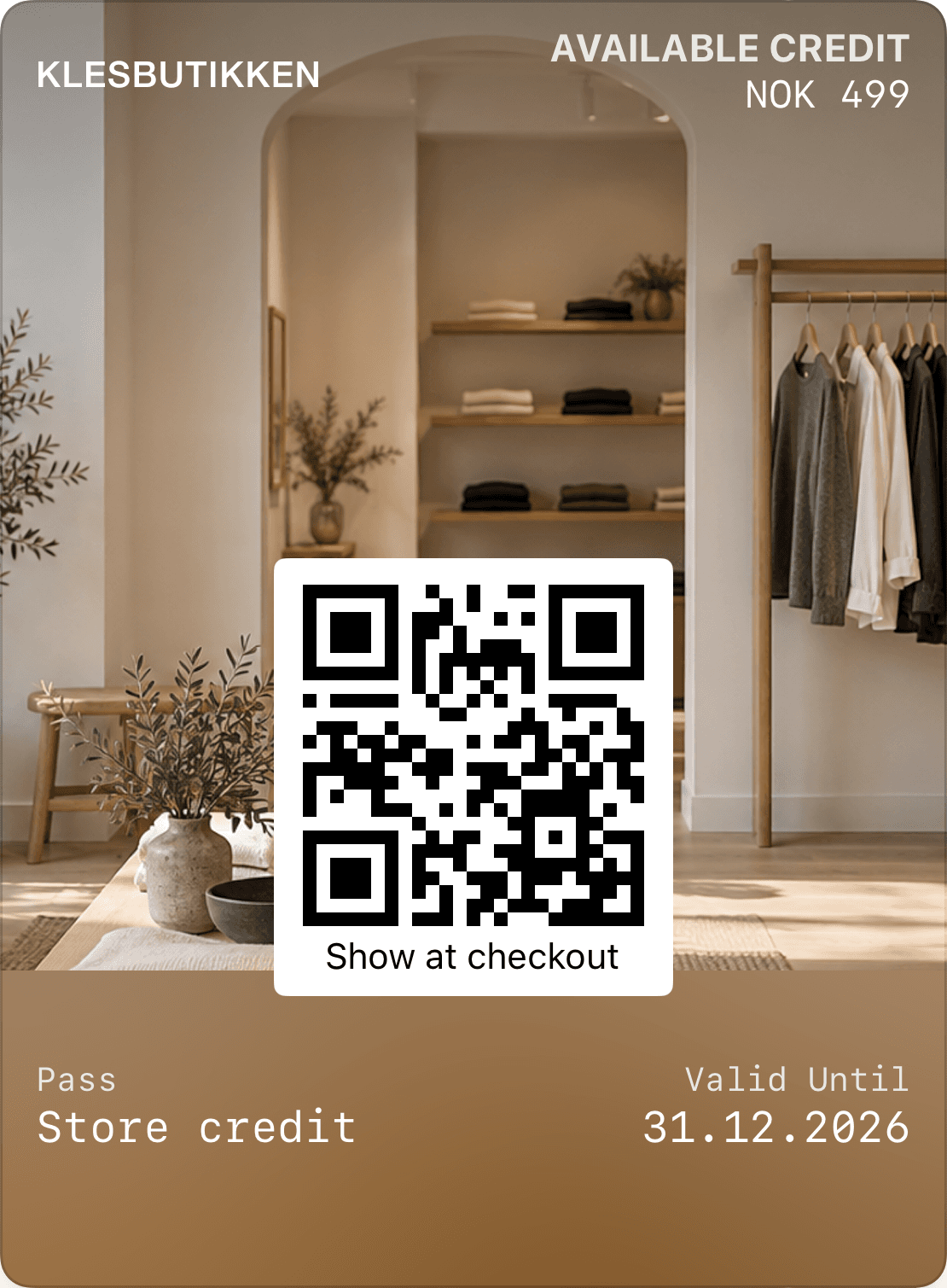
Customers keep their balance and checkout QR code in Wallet without holding on to a paper slip.
Link the pass to store locations so Wallet can surface it when customers are in the area.
Agree when and how customers should be reminded to spend their remaining credit.
Connect the pass to your balance and redemption workflow to show what remains.
Store credit represents value customers can spend at your business. A Wallet pass brings the balance, validity and checkout code together on their phone. Its name, colours and photo can match your store.
We configure issuance at checkout or through a link. Customers open the link from a QR code, text message or email and add the pass to Wallet. Issuance, terms and access need to fit your existing sales and returns workflow.
Your location can make the pass relevant when customers are nearby. Apple Wallet can surface a relevant pass on the lock screen. This is location-based pass relevance, which differs from a campaign sent as push.
Google Wallet can send a nearby-store reminder when customers enable notifications and the required location access. The platform controls distance and timing. We tailor the configuration to each platform without promising a notification at a fixed radius.
Show validity clearly on the pass. A scheduled reminder can help customers use the remaining value before expiry. Channels, timing and recipients are agreed during setup, taking account of customer notification choices and consent.
The Wallet pass is the view customers carry. Balances, partial spending, returns and cancellations must be recorded in the system responsible for the credit. We review your point-of-sale or membership system and how confirmed events should update the pass.
Store credit, gift cards and earned cashback can all appear in Wallet, while representing different values. Store credit shows a credit balance, gift cards show gift value, and cashback shows rewards earned under your club’s rules.
Keep balances and terms clear. A loyalty club can provide a reason to return after the credit is spent, with membership benefits and cashback suited to your products and operation.
Review issuance, balances, spending and returns with your point-of-sale system as the starting point.
Choose your design, fields, locations and reminders.
Add a pass, spend part of the balance and check the updated value on a phone.
Customers add the pass to Apple Wallet or Google Wallet without a separate Loylo app. Wallet availability depends on their phone.
We can associate locations with the pass. Apple Wallet can surface a relevant pass on the lock screen. Google Wallet can send a location-based reminder with the required notification and location settings. The platform controls when it appears.
Reminders can be part of the setup. We agree channels, timing and how validity and remaining balances are retrieved, taking account of customers’ communication choices.
The code identifies the credit note in the agreed redemption workflow. The point-of-sale system or balance service must verify available credit and confirm spending before the pass is updated.
We assess connections to your membership and point-of-sale systems. Store credit and cashback remain clearly identified, with earning, spending and returns rules agreed before launch.
Retail loyalty for clothing stores and shops with cashback, member benefits and Apple Wallet or Google Wallet passes tailored to your existing systems.
Gift card software for digital gift cards, gift cards for small business and Apple Wallet gift cards with QR codes, balance and live updates.
Explore Apple Wallet and Google Wallet for loyalty cards, gift cards and tickets. Learn about pass types, QR, updates and integrations with Loylo.
Customer loyalty software for businesses that want loyalty cards, stamps, points, push, email and insights without a customer app.
Tell us how your store issues and redeems credit today. We help create a Wallet setup that fits your workflow.