The journey comes first
Prioritise origin, destination, date, boarding time and seat. The pass should be easy to understand at security and at the gate.
A Wallet boarding pass puts departure, gate and seat details within easy reach. This guide explains how the pass should connect to check-in and validation, and which parts the Wallet platforms actually handle.
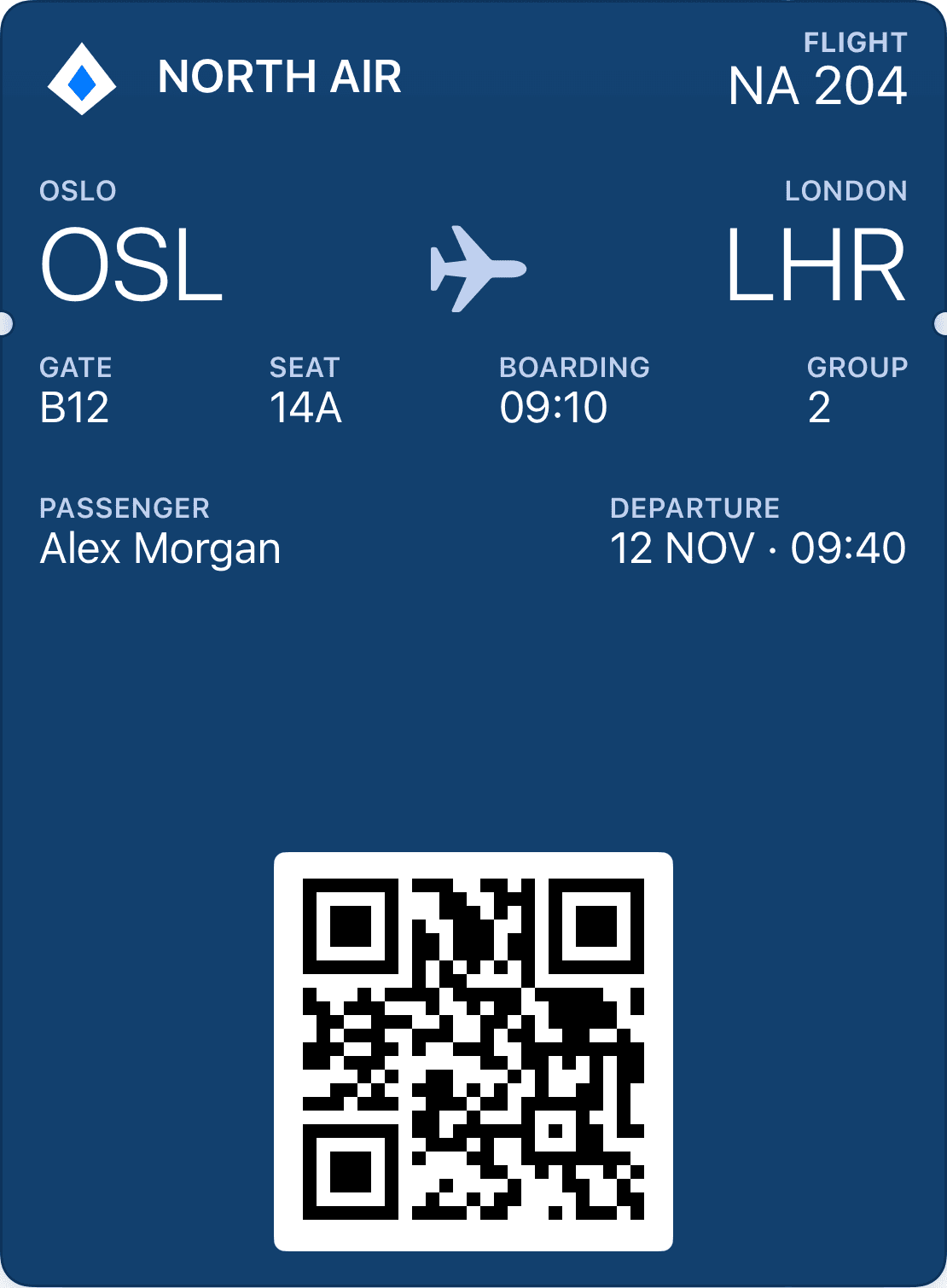
Prioritise origin, destination, date, boarding time and seat. The pass should be easy to understand at security and at the gate.
The barcode format must work with the airline’s existing readers. A well-designed QR image alone is not a valid boarding pass.
Gate, time and status changes must come from the flight or check-in system. Wallet displays the details; it does not decide whether the passenger may board.
Apple provides the boardingPass style for journeys with an origin and a destination. Google also has a dedicated boarding pass type in its Wallet API. These are more suitable for air travel than a generic membership card with an aircraft illustration.
Start the design with an information hierarchy: route and departure should be easy to find, followed by name, gate, boarding group and seat. Apple and Google use different templates. Decide which data is shared and review the pass on both platforms rather than promising identical pixels.
A Wallet pass does not replace booking, identity checks or the airline’s decision that a passenger is eligible to travel. The check-in system must issue a reference and barcode that existing readers can validate. Cancellation and reissue must also originate there.
Begin with one defined scenario: a checked-in passenger receives a link to their pass and adds it to Wallet. Then describe seat changes, new departure times and cancellations. These are the integration points to test with the operator.
Google describes flight status updates and boarding reminders. A connected system still has to supply that information. An update signal being sent does not prove that a passenger has seen a notification.
Test changed passes, older supported devices and unreliable connectivity. A saved pass may display outdated information. The reader and operator’s system must still decide whether the code is valid, and passengers who cannot open Wallet need a fallback flow.
Establish who owns travel data, barcode formats and approval at the gate.
Connect an individual pass reference to the confirmed journey and offer Wallet in the existing check-in flow.
Verify gate changes, reissue, cancellation and scanning on the operator’s equipment before launch.
Connect booking, check-in and changes to the same boarding pass. Your airline system supplies the right data throughout the trip.
Use the booking reference to identify the trip and passenger.
At check-in, issue the pass with route, seat and boarding information.
Gate or time changes from the airline system can update the pass.
Start with the operator’s confirmed journey and individual ticket reference. The check-in system provides the passenger, flight, seat and boarding status, while the pass follows updates until departure. We help you map the data flow and readers.
That does not make it valid for boarding. The operator must define the barcode format and verify that its readers can validate the journey and passenger status.
Wallet platforms support updates. An integration must fetch changes from the source and update the pass. Delivery timing and device presentation need testing.
Explore Apple Wallet and Google Wallet for loyalty cards, gift cards and tickets. Learn about pass types, QR, updates and integrations with Loylo.
A guide to concert and event tickets in Apple Wallet and Google Wallet: ticket data, scanning, duplicate use, transfers and updates.
Plan festival passes in Apple Wallet and Google Wallet with valid dates, zones and re-entry rules. A guide to ticketing and gate validation.
Tell us what issues the ticket, who will use it and how it will be validated. We can discuss the integration before you build.