A readable ticket
Show the event, date, venue and ticket category. Include a seat or zone where relevant and keep the barcode easy to scan.
For concerts, conferences and other events, Wallet is a convenient home for a ticket. A useful implementation connects the pass to the order, admission and event changes, so guests and staff know what is valid.
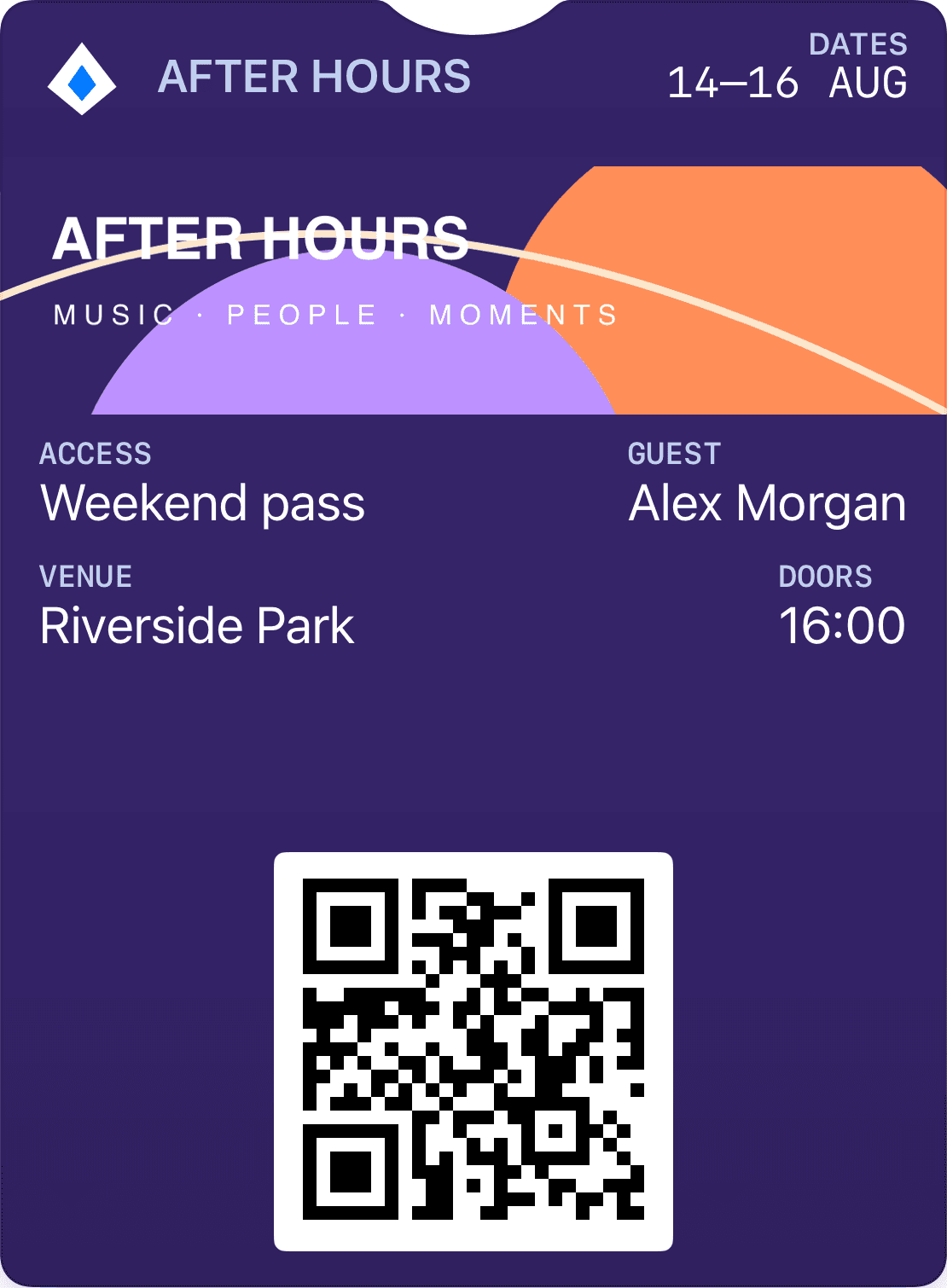
Show the event, date, venue and ticket category. Include a seat or zone where relevant and keep the barcode easy to scan.
A scan needs to check status in the ticketing system and record usage. Wallet provides the display; the backend decides whether admission is valid.
Plan how a new time, changed venue or cancellation will appear. Email or another fallback channel helps when a Wallet update does not arrive in time.
Apple provides eventTicket, and Google has a dedicated event ticket type. Begin with what guests need at the door: event name, time, entrance and allocated seating. A logo and artwork should support this information rather than make it harder to read.
Separate an order from a ticket. One order may contain several tickets, while each ticket needs its own reference and status. Decide whether a name on the pass is informative or an admission requirement. This affects checkout and transfers to other people.
A static code can be copied or photographed. At admission, the system should check that the ticket exists, is valid for this event and has not already been used. Recording usage must handle simultaneous scans so the same ticket cannot be accepted at two entrances.
Google documents rotating barcodes as a way to reduce screenshot copying. They require compatible reader validation and are not automatically a shared Apple and Google feature. Start with your risk and validation requirements, then select the barcode and readers accordingly.
Sharing a Wallet file or link is not the same as transferring ownership in the ticketing system. A formal transfer needs to revoke old access and issue a new reference. A refund should invalidate admission even if an old pass remains on someone’s phone.
Test admission under load and with poor connectivity. If readers need to work offline, decide how data synchronises and how much duplicate-use risk is acceptable. Staff also need a simple way to handle incorrect scans and guests without a working phone.
Create one reference per ticket and expose event, category and status to the pass and scanner.
Let guests save their own ticket from the order confirmation or an authenticated page.
Check and record usage in the ticketing system. Test duplicate scans, refunds and changes before the first event.
Let the ticketing system handle orders and validity. Wallet makes the ticket easy to find when your guest arrives.
Connect the ticket to the right event, date and admission type.
Send a link that lets the guest save their ticket to Wallet.
Scan the code against the ticketing system. It decides whether the ticket is valid and already used.
No. Wallet displays and stores the ticket. Sales, capacity, payment, admission and refunds need a ticketing system connected to the pass.
A static QR code can often be read from a screenshot. Admission checks need to reject invalid or already used tickets. Rotating barcodes need separate configuration.
That needs a separate contactless integration and compatible hardware. Google documents Smart Tap with certified terminal providers. Saving a QR ticket in Wallet does not automatically enable NFC.
Plan festival passes in Apple Wallet and Google Wallet with valid dates, zones and re-entry rules. A guide to ticketing and gate validation.
Explore Apple Wallet and Google Wallet for loyalty cards, gift cards and tickets. Learn about pass types, QR, updates and integrations with Loylo.
Plan digital boarding passes with flight details, barcodes and updates. Understand what Wallet displays and what the airline check-in system must validate.
Tell us what issues the ticket, who will use it and how it will be validated. We can discuss the integration before you build.